
Foreword#
Before I write this, the purpose of this post honestly is to first, remind myself what the purpose of NTLM is, and what’s the process. It’s more of a notes kind of thing.
Background#
NTLM or Network Lan Manager NTLMv2 is a challenge-response authentication protocol that is used in Windows. It can be used to authenticate users and computers in a Windows domain, or on stand-alone systems.
NTLM credsentials are based on data obtained during logon and consist of a
- Domain Name
- User Name
- Hash (Note that by definition, hashing is a one way process hence stating it’s a one-way hash is superfluous. This is because hashing involves putting an input into a mathematical function to generate an output which shouldn’t be reversed as if it’s reversed, it defeats the point of hashing as that’s now encoding, which provides 0 cryptographic strength.)
NTLM authentication can either be interactive or non-interactive. Interactive involves a client system where the user requests authentication, and a DC, where info related to the user password is kept. Noninteractive auth involves a logged-ion user accessing a resource such as a server application, typically involving a client, server and a DC that does the authentication calculations on behalf of the server.
In a typical workflow:
- User sends request with domain name, username, password. A hash is computed and the password is discarded.
- This hash is sent in the first request in plaintext.
- Server generates 8 byte random number (nonce), sends it to client. The nonce must be unique!!!
- Client encrypts this nonce with the hash of user password, returns this to the server as the response.
- Server sends Username, Challenge, Nonce to DC.
- DC uses username to retrieve user password from SAM, using the password hash to encrypt the challenge
- DC compares encrypted challenge it computed with response computed by client. If it’s ok, auth is ok!
NTLM vs NTLMv2#
There’s actually a distinction between NTLM and NTLMv2. Although the term in the background was used interchangeably. NTHash is what Windows stores hashes locally as: LM-Hash and NT-Hash. NTLMv2 is the authentication protocol.
Attacks ⚔️#
Generally an attack in a Red-Team engagement/CTF would involves setting up a listener, and convincing people to authenticate against the machine, either via a protocol (for a CTF, such as Remote File Inclusion), or a phishing link.
This exploits part 1 and 2 of the workflow, and with the captured hash, just brute-force it. Relying on the usual rockyou.txt wordlist will be outdated, although people do still use the password surprisingly…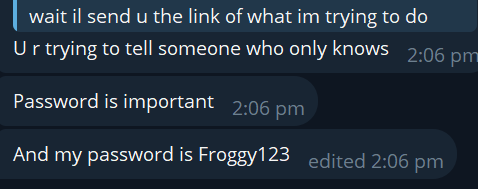
Alternatively, you could set up a MITM relay, and act as a middle-man in the communication between client and server, just relaying requests back and forth.
Tools to Use#
It’s generally responder or Impacket’s SMBServer.
References#
- Microsoft. (n.d.). Microsoft NTLM - win32 apps. Win32 apps | Microsoft Learn. https://learn.microsoft.com/en-us/windows/win32/secauthn/microsoft-ntlm?redirectedfrom=MSDN